New in SyriaFor car rental offices

An AI assistant that answers your customers on WhatsApp, day and night.

It gives each customer the exact price for the dates they want, checks which cars are actually free, and takes a provisional booking. You confirm it with one tap.

  • Never confirms a booking without you
  • No car gets booked twice
  • First 14 days free
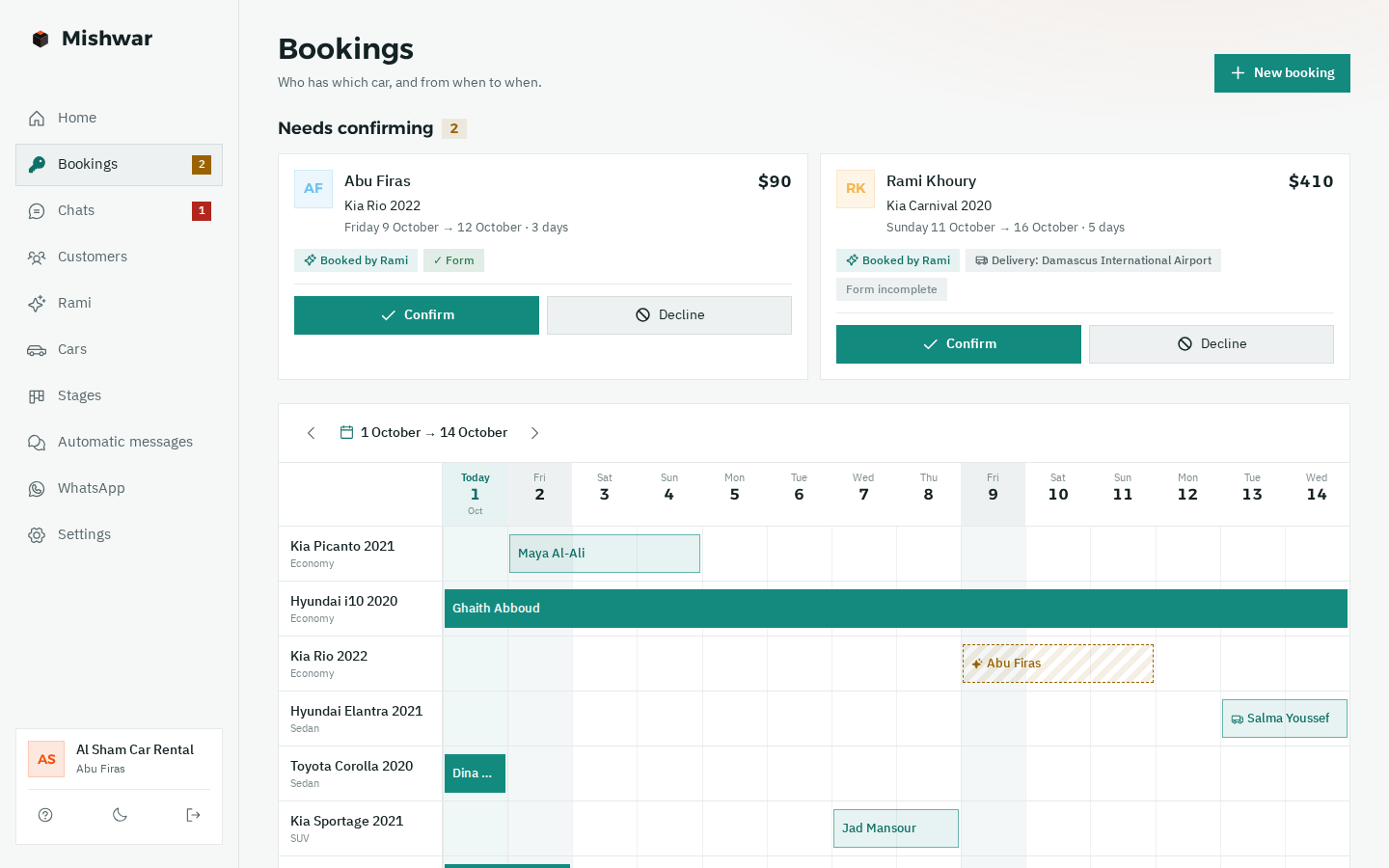
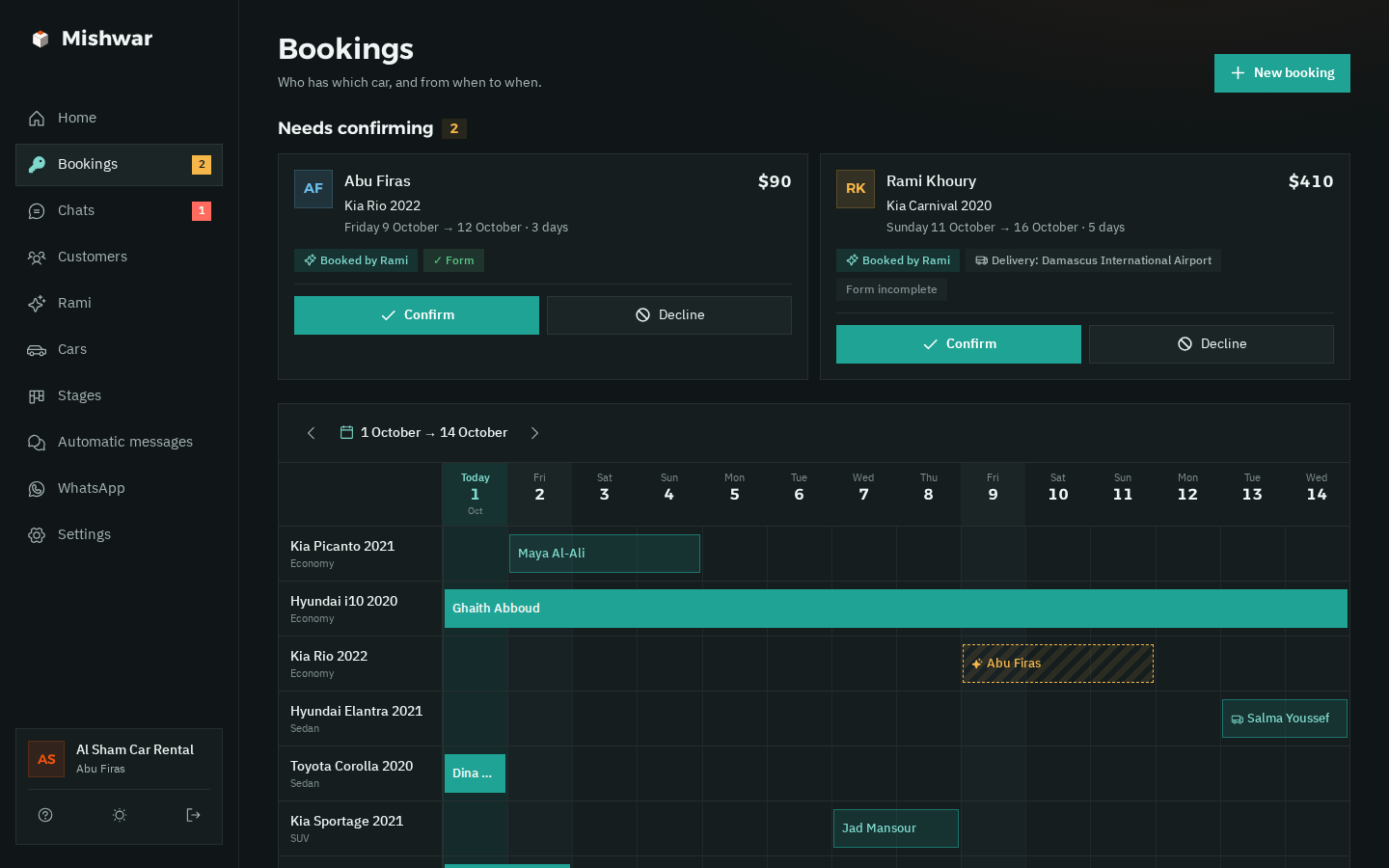
Mishwar's bookings board: two provisional bookings marked “needs confirming” at the top with Confirm and Decline buttons, and below, one row per car showing who has it and on which days The bookings board in dark mode: provisional bookings at the top, each car's days below
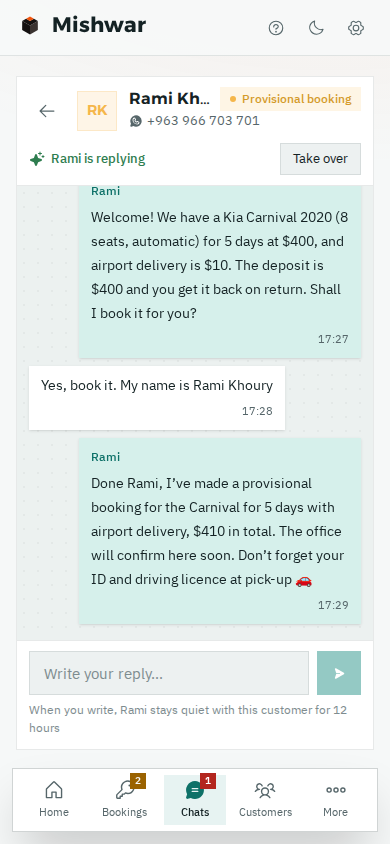
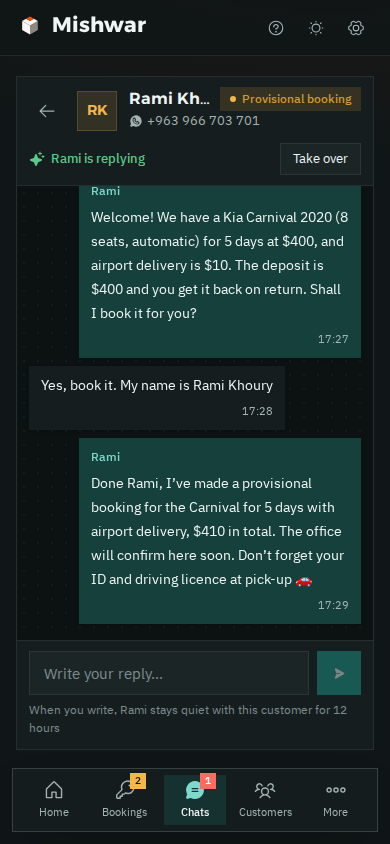
A chat on a phone: a customer asks for an 8-seater with airport delivery, and Rami quotes a Kia Carnival with the deposit and makes a provisional booking Rami's chat with the customer on a phone, in dark mode

This is how one booking travels, from the first message to your confirmation.

None of these steps takes your time except the last one: tapping “Confirm”.

  1. 11 pmA customer asks about a carOn your office's WhatsApp number, in a text or a voice note.
  2. The same minuteThe assistant gives the exact priceFor the days they want, from the cars that are actually free on those days.
  3. Provisional bookingThe car is held in their nameNobody else can take it for those days until you decide.
  4. Whenever you're freeYou confirm with one tapThe customer gets the confirmation on WhatsApp, with the car, the days and the total.

In the demo office the assistant is called “Rami”. You can name him whatever you like.

AI assistant · new in Syria

A customer messaged at 11 pm? He got his price, and his booking is waiting for you to confirm.

The assistant answers on your office's own WhatsApp number, using the information you give it: your cars and their prices, the deposit, delivery and your terms. You see every word, and you can step in whenever you want.

  • Answers at night tooNo customer goes to another office because nobody replied.
  • The exact price for any lengthHe prices the customer's dates and picks the daily, weekly or monthly rate by himself.
  • Only cars that are really freeHe checks the bookings board before offering any car.
  • No car gets booked twiceThe same car can't take two bookings for the same days, from him or from you.
  • Provisional until you confirmHe takes the request and you make the call: “Confirm” or “Decline”, in one tap.
  • Accidents and breakdowns go to youSo do fines, complaints, and discount or extension requests: he passes them to you with a WhatsApp alert.
  • Understands voice notesThe customer sends a voice note, and he understands it and replies.
  • Take over any timeWrite yourself, from the app or your phone, and he goes quiet with that customer.
  • Try him before you switch him onChat with him as if you were a customer, and see how he replies before he talks to anyone.
How he works out the price

Same car, a price for each length of rental.

For each car you enter a daily, weekly and monthly rate, and the assistant picks the right one for the number of days.

Kia Carnival 20208 seats · automatic
  • 3 daysAt the daily rate: $80 × 3$240
  • 1 weekAt the weekly rate$480
  • 1 monthAt the monthly rate$1,600
Airport delivery, if requested+$10
Deposit, returned with the car$400

Car prices from the demo office. He never makes up a price or gives a discount on his own.

From the demo office

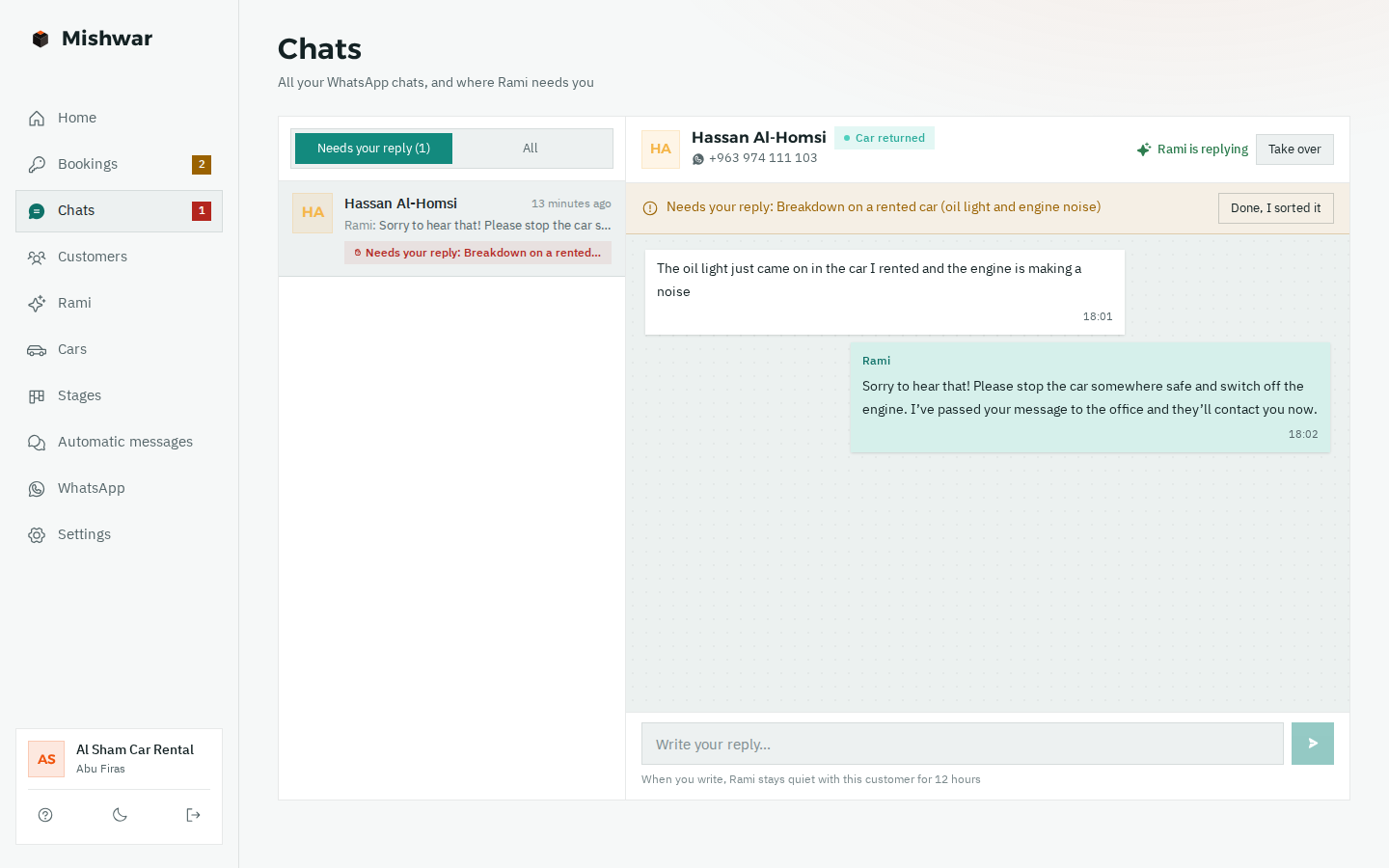
Oil light came on? That's for you, not the assistant.

An accident, a breakdown, a fine or a discount request: the assistant doesn't decide for you. Here's what he does:

  1. He replies calmly and tells the customer the message has reached the office.
  2. The chat is marked “Needs your reply”, and you get a WhatsApp alert.
  3. You tap “Take over” and carry on yourself.
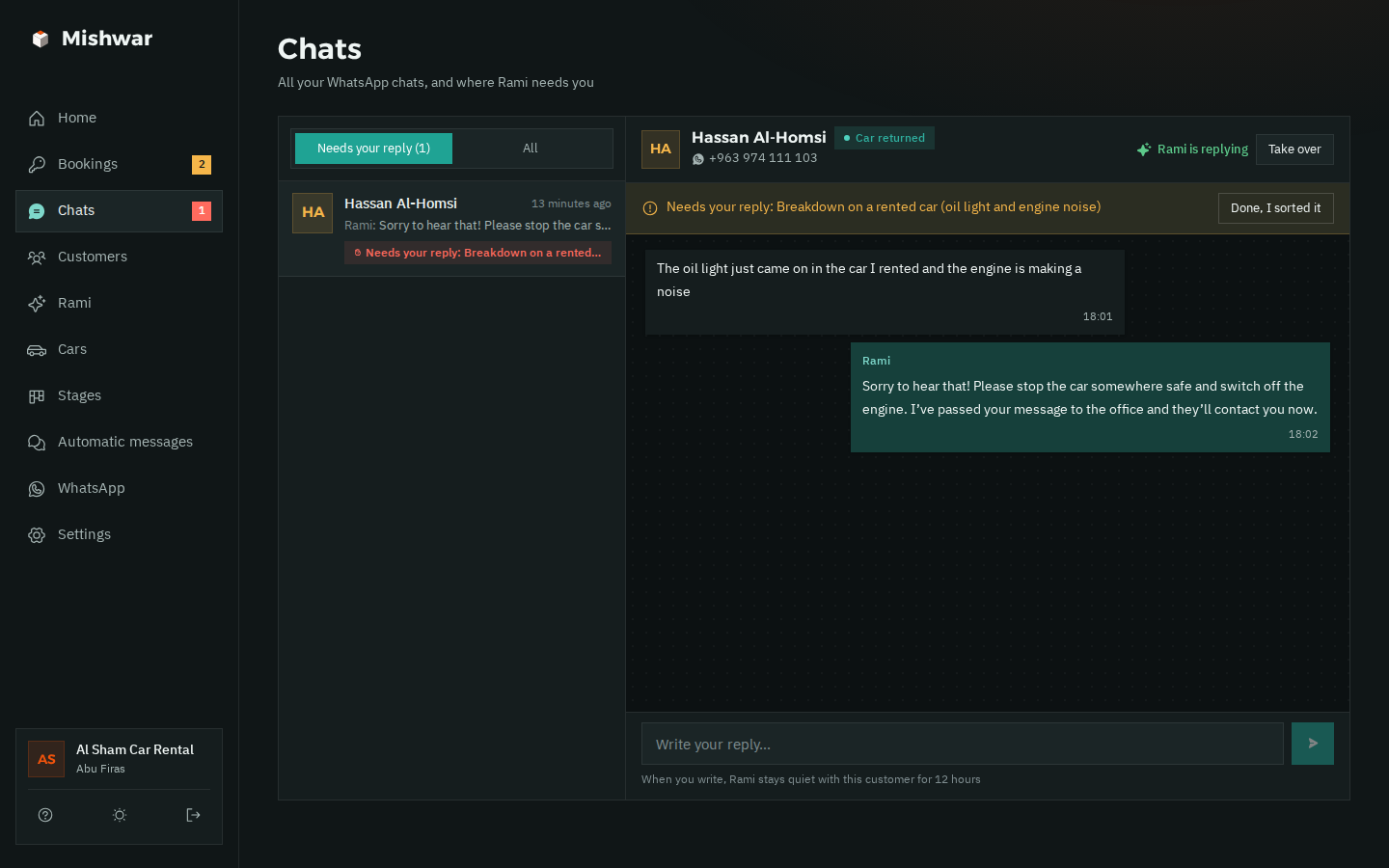
The chats page: a customer whose car's oil light came on; Rami has handed the chat to the office, and it's marked “Needs your reply” with a “Take over” button The chats page in dark mode with a breakdown chat handed to the office
Bookings board

Who has which car, and until when, at a glance.

Each car is a row, and each booking is a bar across its days. Bookings the assistant took wait for you at the top, under “Needs confirming”.

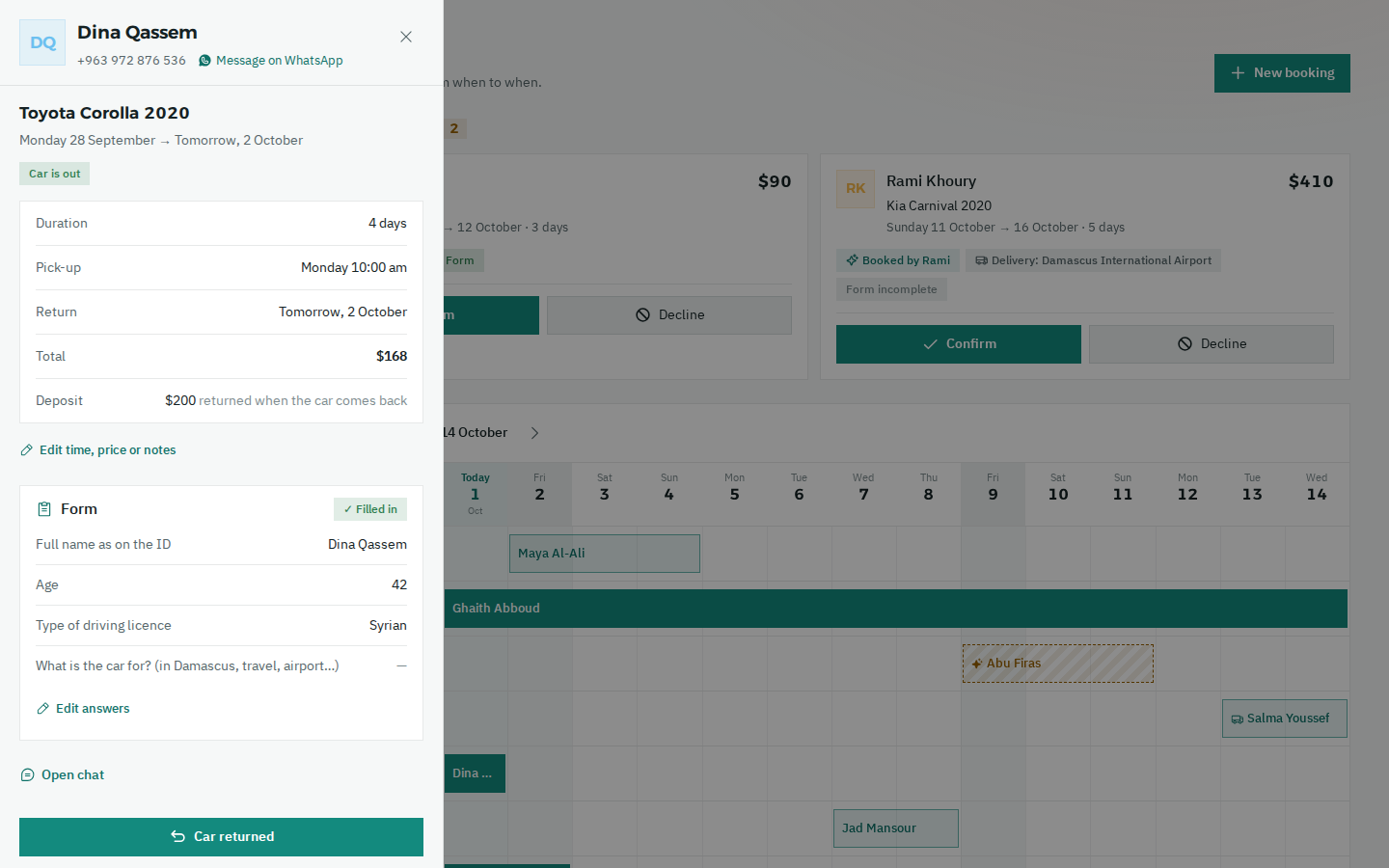
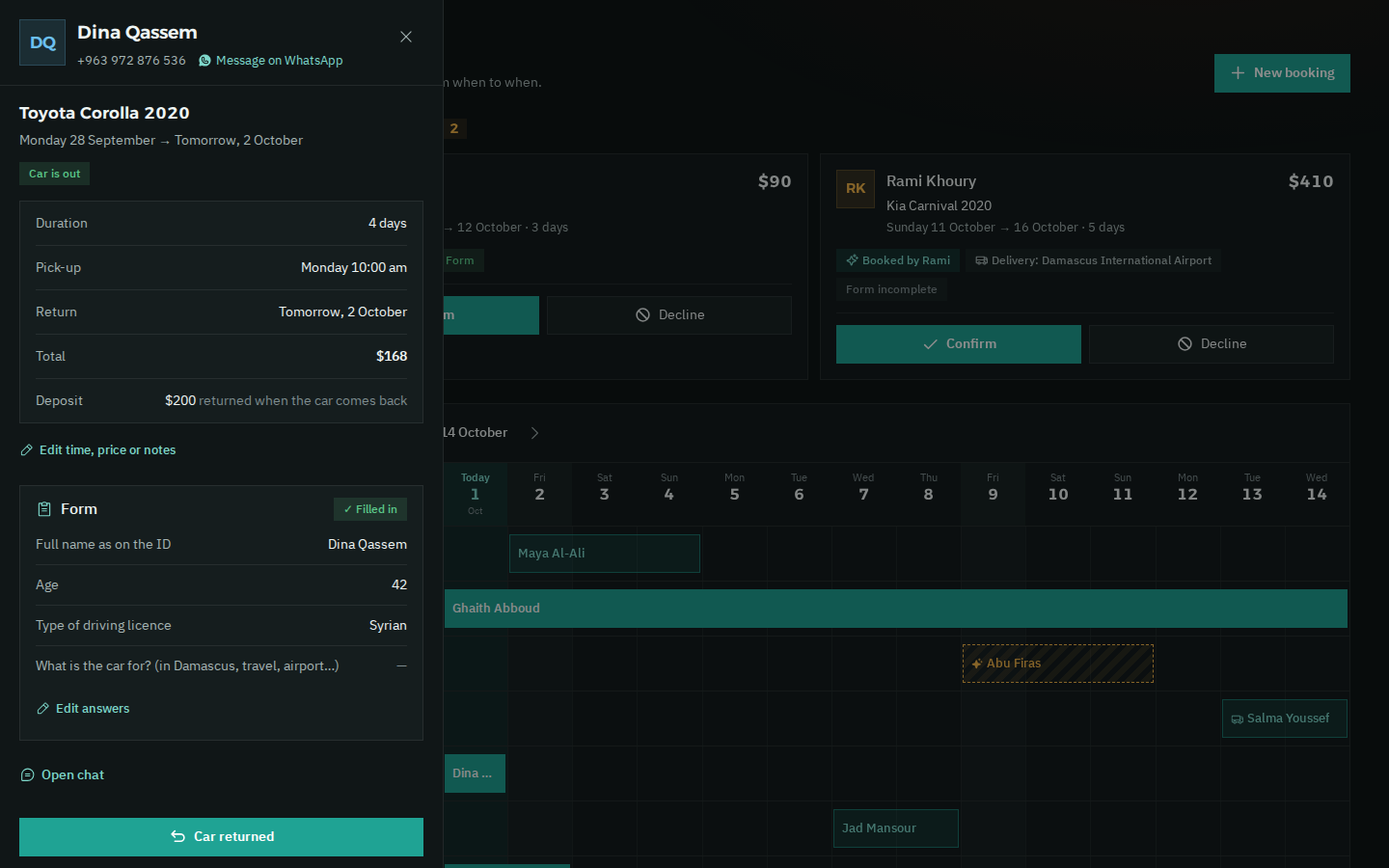
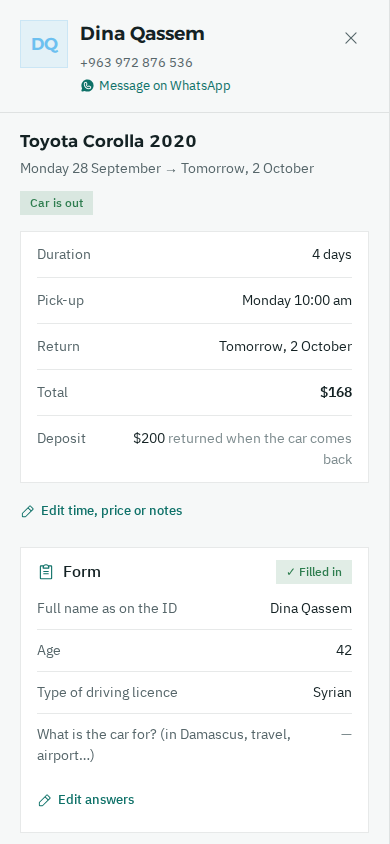
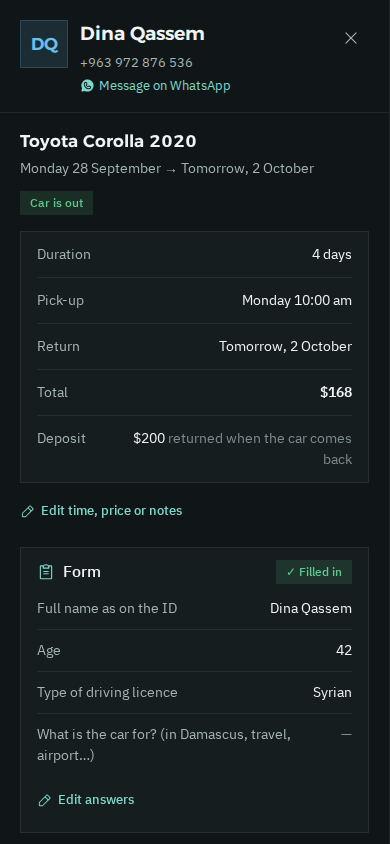
A booking opened on the bookings board: a Toyota Corolla that's out for 4 days, with pick-up and return, the total and deposit, the office's form answers, and a “Car returned” button at the bottom The same open booking in dark mode, with the “Car returned” button
Open any booking: the days, the total, the deposit, the form answers, and “Car returned” in one tap.
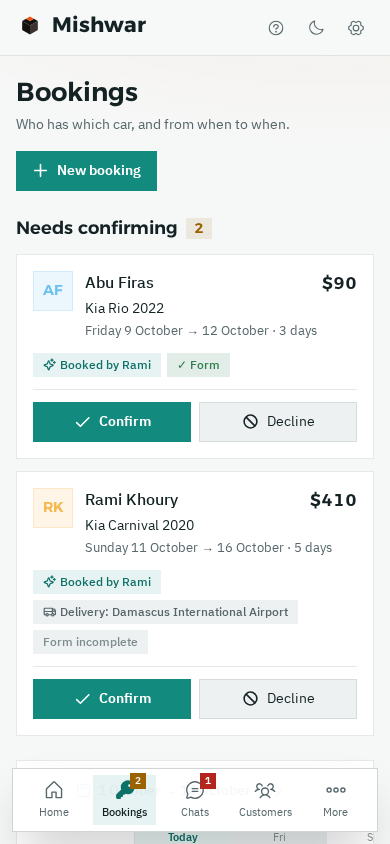
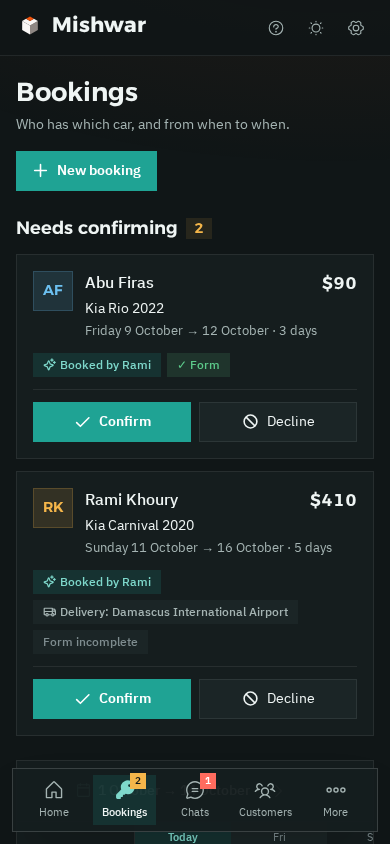
Bookings on a phone: two bookings that need confirming, each with Confirm and Decline buttons Bookings on a phone in dark mode
And from your phone too.
  • Needs confirmingOne tapEvery provisional booking shows up at the top of the board. Tap “Confirm” and the customer gets the confirmation on WhatsApp, or tap “Decline”.
  • Car out · Car returnedHand-over and return in one tap. When the car comes back, the thank-you message goes out by itself.
  • Today at a glanceWho's picking up today, who's returning today, and how many cars are out right now, on the home page.
Automatic messages

From the confirmation to their next trip, the messages go out on their own.

With the customer's name, your office's name and their car, right on time. You don't write a single one of them.

With every new rental. Each time a customer comes back and rents again, the messages start over.

  1. Booking confirmation

    When you tap “Confirm”

    Hi Samer 🚗 Your booking with Al Sham is confirmed: Kia Carnival 2020 Pick-up tomorrow at 10:00 am · Total $490 · Deposit $400 If you need to change anything, just reply here.

    With the car, the days, the total and the delivery
  2. The day before pick-up

    Reminder

    Hi Samer 🚗 A reminder from Al Sham: pick-up of the Kia Carnival 2020 is tomorrow at 10:00 am. Don't forget your ID and driving licence. If anything changes, just reply here.

    ID and driving licence: nobody forgets them
  3. Return day

    In the morning

    Good morning Samer 🚗 A reminder from Al Sham: the Kia Carnival 2020 is due back today. If you'd like to extend the rental, reply here and we'll sort it out.

    And extension requests come to you
  4. After the return

    When you tap “Car returned”

    Thanks, Samer 🚗 Thank you for choosing Al Sham. If you have any feedback on the car or the service, send it our way. Your opinion matters to us.

    You can edit the wording in “Automatic messages”
  5. A month later

    “Another trip coming up?”

    Hi Samer 🚗 It's Al Sham here. If you have a trip coming up, send us the dates and we'll book your car.

    If he replies, the assistant gives him the price and books it
The office system

Your cars, your bookings and your WhatsApp chats, in one place.

On a computer or on your phone. The app is light and built for slow internet.

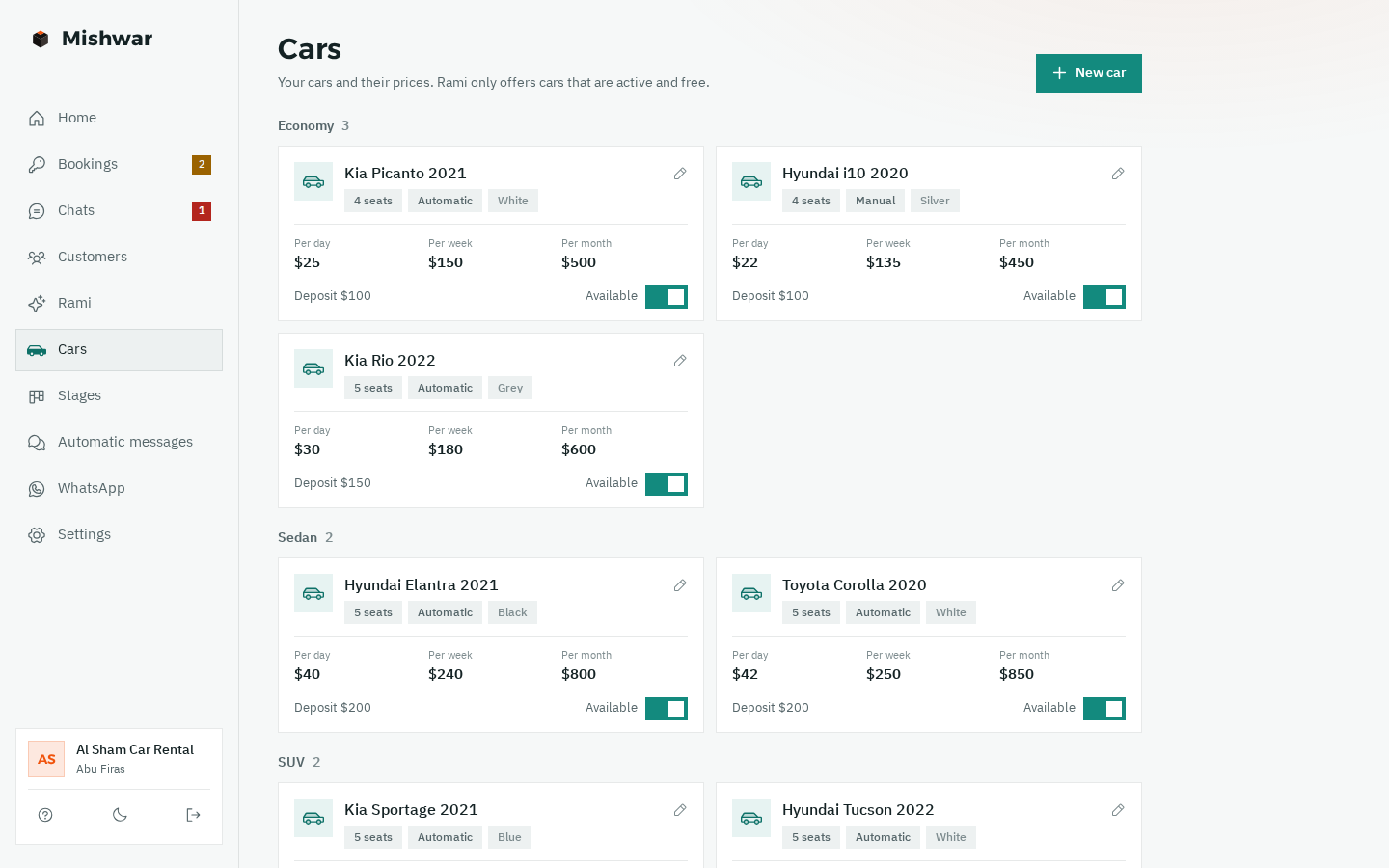
Your cars and their prices A daily, weekly and monthly rate for each car, plus the deposit, the number of seats and the gearbox. You can take any car off booking with one tap.
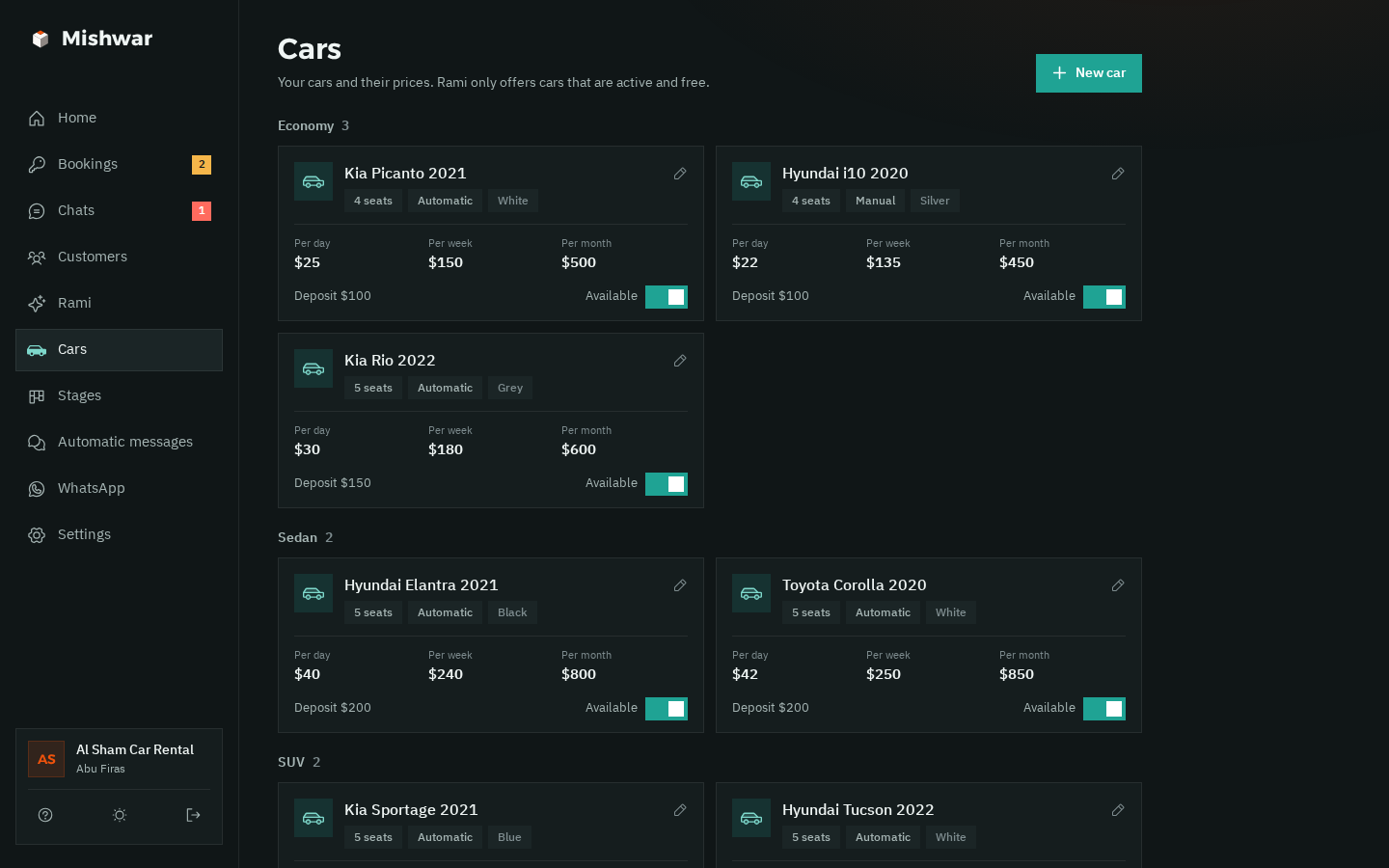
The cars page: each car with its daily, weekly and monthly rate and deposit, grouped into economy, sedan and SUV, each with an “Available” switch The cars page in dark mode
Your office's form Your own questions. The assistant asks them after the booking, and the answers show up on the booking. Full name as on IDAgeLicence typeWhat's the car for?
An open booking on a phone with the form below it: full name as on ID, age and licence type Form answers on a booking in dark mode
Delivery for a fee To the airport or any address, at the fee you set, added to the total.
Minimum rental If you don't rent for less than two days, say, the assistant won't book less.
All chats in one inbox All your WhatsApp chats, with the ones that need your reply on top.
Bring your old customers Upload an Excel file. Syrian numbers are understood however they were written.
Safe sending for your number Human-like gaps, a daily limit and “typing…” before each message, to keep your number safe.
More than one number? Each extra WhatsApp number is $10 a month, and we add it for you.
Pricing

One price, everything included.

The same system for small and large offices, with the AI assistant included.

Mishwar

New in Syria
$50a month

The whole system, plus an AI assistant that answers and books for you.

  • Your cars with daily, weekly and monthly rates, and no car ever booked twice
  • Confirmation, reminders before pick-up and on return day, a thank-you, and “Another trip coming up?”
  • All your WhatsApp chats in one place, plus import from Excel
  • An assistant that answers your customers day and night
  • The exact price for their dates, from cars that are actually free
  • Takes provisional bookings that you confirm with one tap
  • Asks your form questions after the booking
  • Accidents, breakdowns, fines and discount requests come to you
  • Understands voice notes; try him before you switch him on, and take over any time
Talk to Sham

First 14 days free, on your real account

Each extra WhatsApp number $10 a month

Monthly payment, arranged directly with the Muhkam team

Questions

Questions from office owners

Another question? Ask Sham on WhatsApp. She replies in seconds.

01Do I need to be good with technology?
No. The Muhkam team opens your account. You link WhatsApp from your phone with a code or a QR, then add your cars, prices, deposit and delivery. There's a guided tour inside the app that explains every page, and if you get stuck, Sham or the team will help you step by step.
02Does the assistant confirm bookings on his own?
No. Every booking he takes is provisional, and he tells the customer clearly: “provisional booking, the office will confirm”. It shows up for you under “Needs confirming”: tap “Confirm” and the customer gets the confirmation on WhatsApp, or tap “Decline”. While it's provisional, nobody else can book that car for the same days.
03How does he work out the price?
From the rates you entered for each car: daily, weekly and monthly. The system prices the days the customer asked for, picks the right rate for the length, and adds the delivery fee if they want delivery. The assistant also mentions the deposit. He doesn't do the maths in his head, and he never makes up a price or a discount.
04What if there's an accident or a breakdown?
The assistant doesn't decide on things like that. He hands the chat to you straight away, it's marked “Needs your reply”, and you get a WhatsApp alert. The same goes for fines, damage, complaints, discount requests and extending a car that's already out.
05Can I reply myself at any time?
Of course. Take over any chat at any time, from the app or straight from your phone, and the assistant goes quiet with that customer. When you're ready, hand the chat back to him with one tap.
06How do I get started?
Talk to Sham on WhatsApp, and the Muhkam team will get in touch to open your account. Then you link the office number from your phone and add your cars and their prices. Before that, you can look around the demo office and see how everything works.
07How do I pay?
The first 14 days are free, on your real account. After that, payment is monthly and arranged directly with the Muhkam team: $50 a month with the AI assistant, plus $10 for each extra number. We'll agree on how you pay when we set up your account.
08Does it work on a weak connection?
Yes. The app is light and built for slow internet. Messages and replies are sent from our side as a linked WhatsApp device, so they go out even if your phone is off or your connection is weak. Just let your phone connect to the internet every few days, because WhatsApp unlinks devices when the phone stays offline for a long time.
Team

The team behind Mishwar.

A small team from Muhkam, half human and half AI, with one job: making sure your office never misses a booking.

Qusai

Founder · Muhkam

Sits down with car rental owners, listens to what's wearing them down, and decides what we build next.

Blaze

Systems engineer AI

Builds and improves Mishwar every day: the bookings board, pricing, the assistant and the reminders.

Sham

Sales & support AI

Answers you day and night, explains the system, signs you up, and if you get stuck, sorts it out with you.

Chat with her →

Louay

Co-founder · Growth in Syria

Brings Mishwar to rental offices across Syria, close to them on the ground, and stays with you from day one until everything runs smoothly.

Get your account

Talk to Sham on WhatsApp.

Sham is Muhkam's AI assistant on WhatsApp. Ask her anything about Mishwar, and when you're ready to start, she takes your details and the Muhkam team gets in touch to open your account.

  • Replies in seconds, in English or Syrian Arabic.
  • She's a live example of the assistant that will answer your customers.
  • You can ask to speak to someone from the team at any time.
S
ShamOn WhatsApp · +963 968 317 581
Hi, I have a car rental office in Damascus. How can Mishwar help me?21:04
ShamHi 👋 Mishwar puts your cars and their bookings on one board, and sends customers their confirmation and reminders by itself. There's also an AI assistant that gives prices and takes provisional bookings, even at night, and you confirm them. What's your name, and what's your office called?21:04